Be the Best Yesware Team Leader



Paul Hlatky
Behind every strong sales team is a strong leader that can effectively incorporate data into their sales processes. Yesware provides team leaders with the tools they need to identify trends in outreach efforts, pinpoint messaging that contributes to higher reply / open rates, and share this knowledge with the rest of their team.
Team Tracking Report
The Team Tracking Report allows you to see your team’s performance and gauge which elements work and which ones don’t work. For example, the line graph in this report not only displays the collective number of opens for your team, but it also shows you what days people are more likely to open their messages. Using this information, you can schedule your messages to be sent on these days, so that you have a better chance of getting that meeting invitation read.
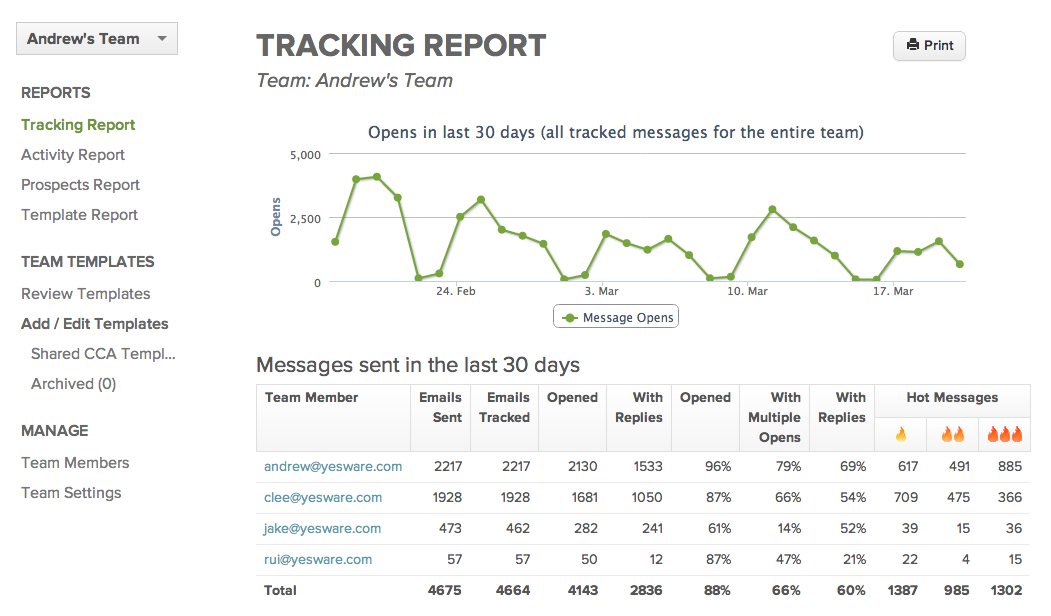
The table below the graph neatly displays each team member’s activity, including the number of emails that were sent, tracked, opened, and replied to. In addition, we’ll identify how many hot messages your team has sent out, allowing you to determine whether prospects are engaging with your content or not.
If you’d like to drill down further into a team member’s activity, click on their email address to pull up their personal 30-day Tracking Report. From here, you can search, filter, and sort the results to find the information you want.
Team Activity Report
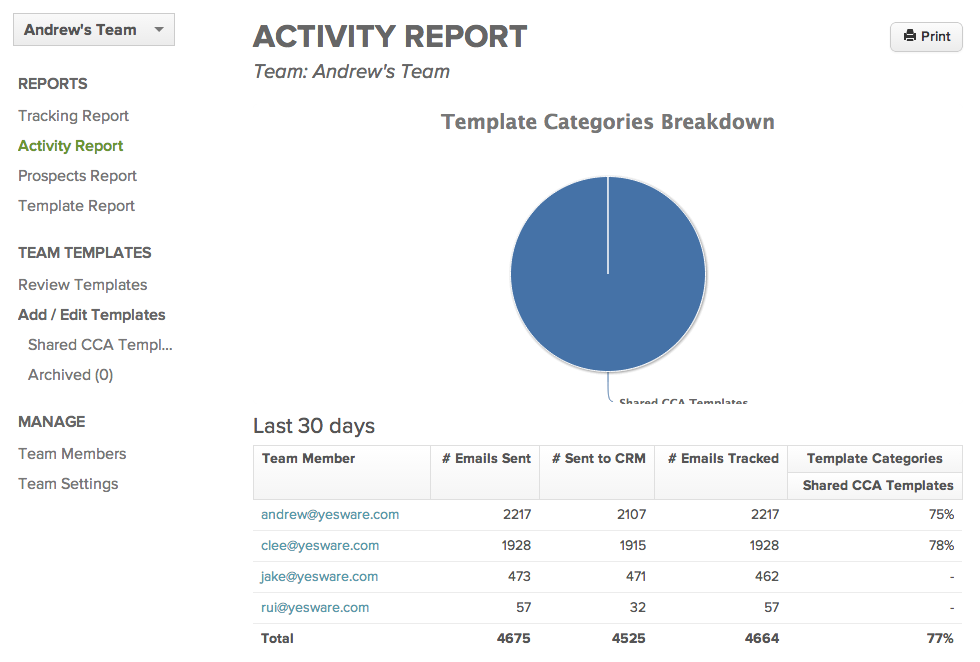
The Team Activity Report provides an overview of template use, tracked emails, and CRM usage by team member. As with the tracking report, you have the ability to drill down into your team member’s personal 30-day Template Reply Report. From here, you can determine whether there are any templates that are worth sharing with the rest of the team.
Team Prospects Report
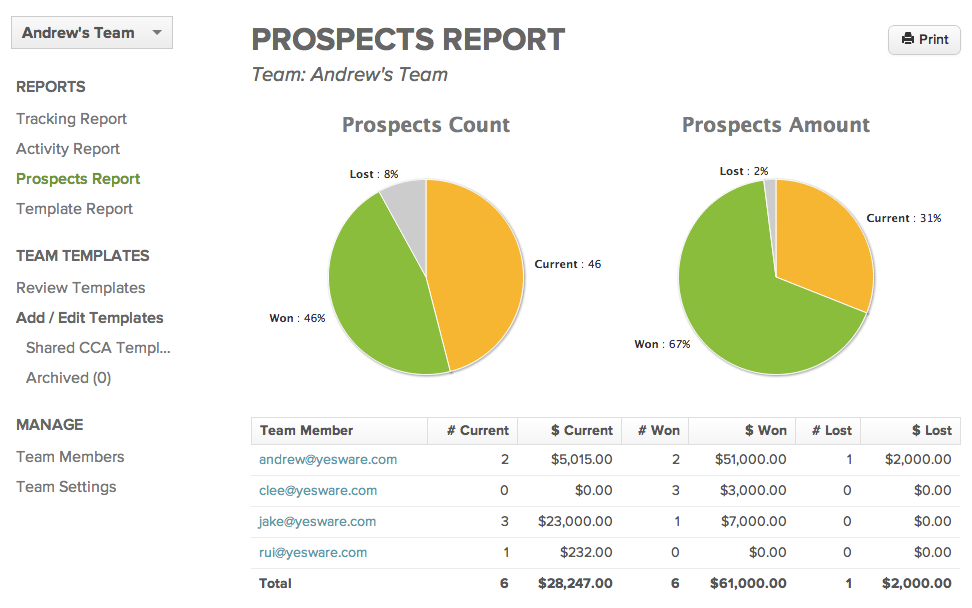
The Team Prospects Report aggregates each user’s Prospects into a single place, allowing team leaders to monitor overall team progress.
Team Template Report
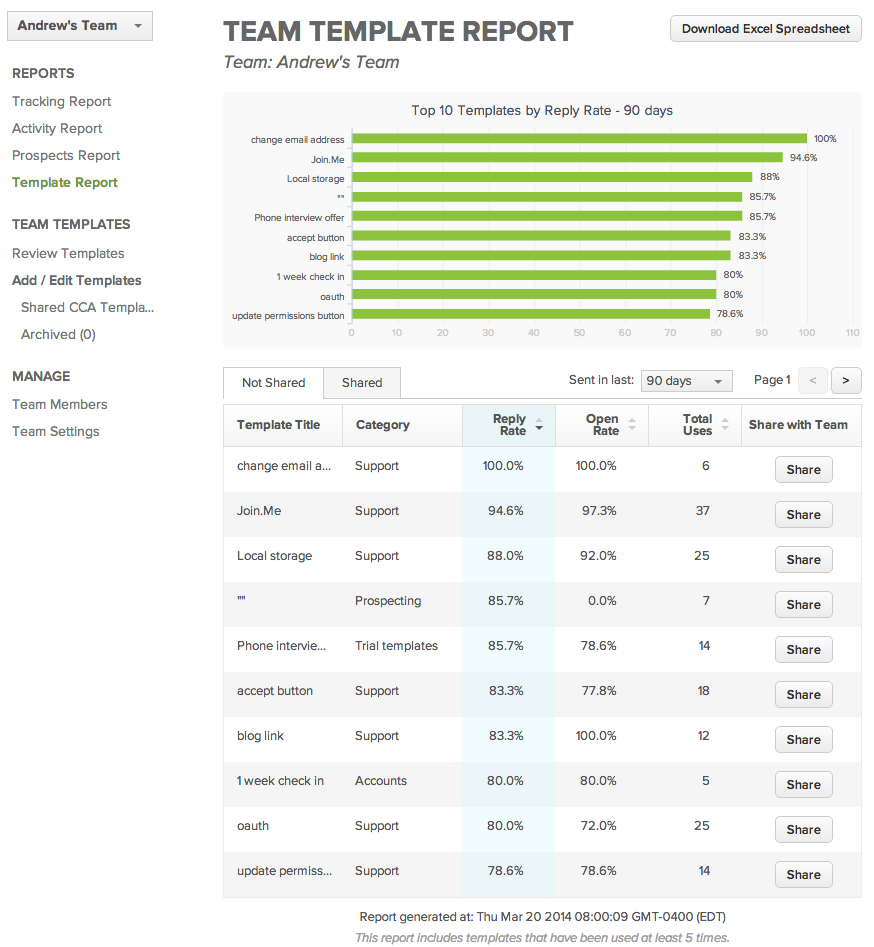
The Team Template Report gives you the ability to identify top-performing templates. Filter the results by reply rate, open rate, and use count, depending on which metrics are most important to you.
There’s a good chance that one of your team members has a personal template that generates high open and reply rates. If that’s the case, share the wealth with the rest of your team! All you need to do is click on the “Share” button – simple as that.
Questions? Are we missing something? Send us an email at sales@yesware.com (if it’s a sales-related inquiry) or support@yesware.com (if you have feedback or need technical assistance).
Get sales tips and strategies delivered straight to your inbox.
Yesware will help you generate more sales right from your inbox. Try our Outlook add-on or Gmail Chrome extension for free, forever!
Related Articles



Casey O'Connor

Casey O'Connor

Casey O'Connor
Sales, deal management, and communication tips for your inbox