
Meeting Scheduler
Schedule meetings without the
back-and-forth
Yesware’s meeting scheduler makes it easy to book meetings without email back-and-forth by sharing available time slots directly from your inbox.


Get started immediately:

Add Yesware to Outlook or Gmail in 1 minute

Create winning campaigns and personalize in seconds

Schedule more meetings with buyers and win more business.
Integrate with your Outlook or Gmail calendar

Meeting Scheduler integrates seamlessly in just a few clicks.
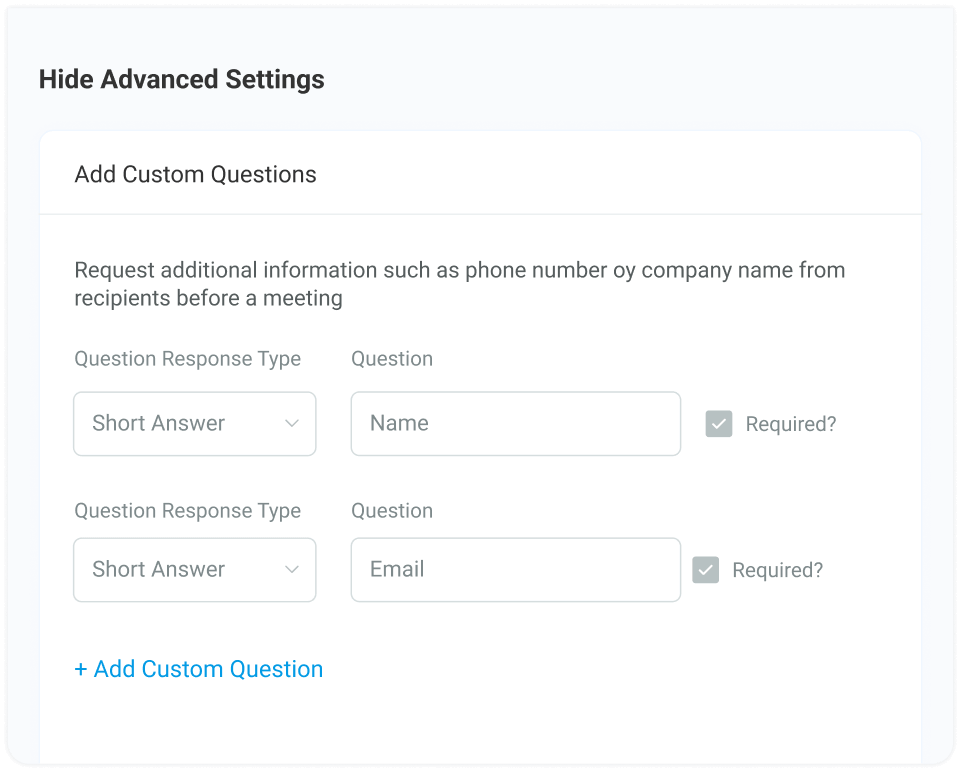
Set your availability, add custom working hours and give recommended meeting times.
Recipients choose available time slots that work for everyone.
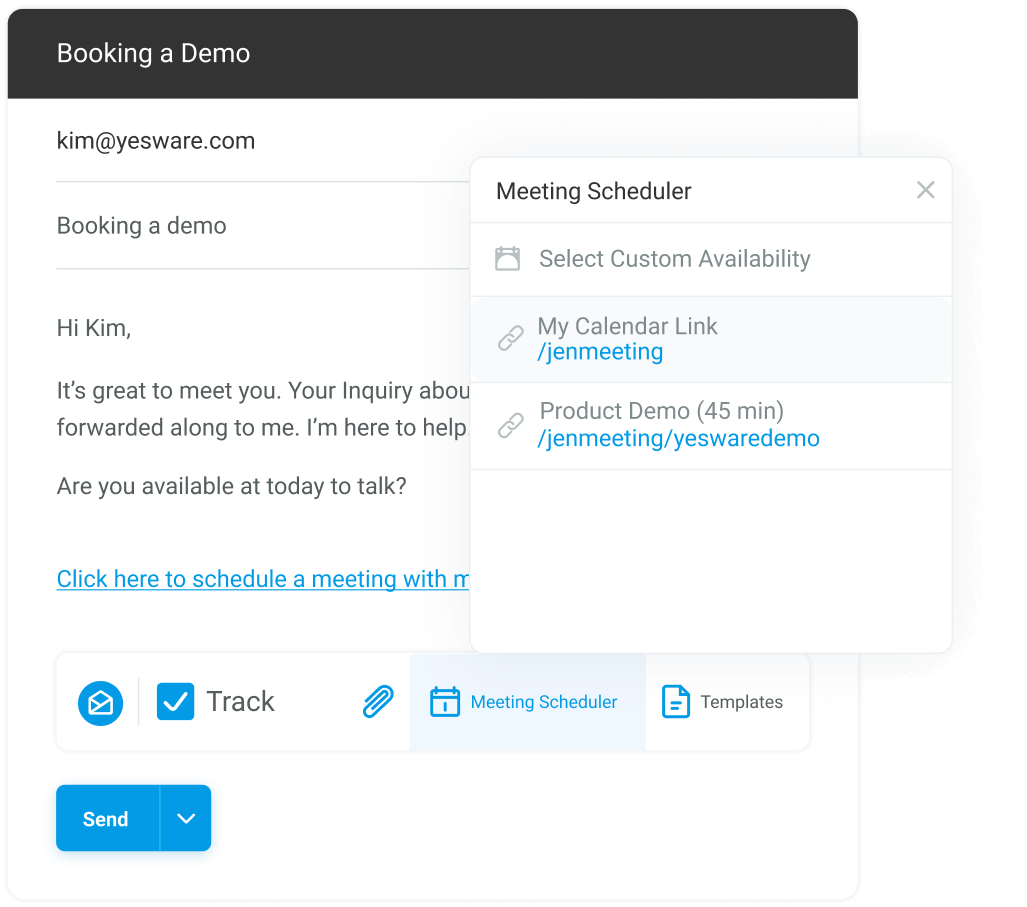
Share your meeting link
Once you’re setup, just insert your personalized meeting link into any email, template or campaign.
Recipients click your meeting link and choose an available time slot.
Use auto-generated links, or customize them yourself.

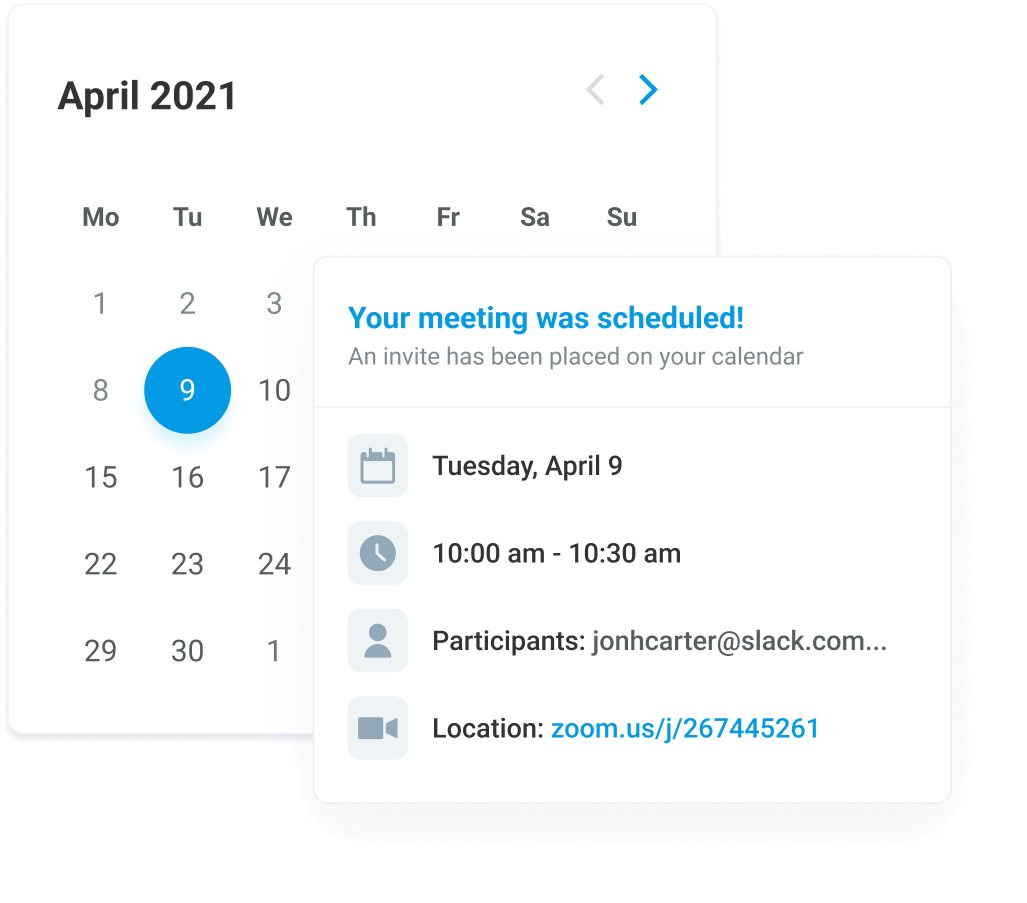
Get instant meeting confirmations by email
When someone books a meeting, you get a confirmation email with date, time and relevant info.
The calendar event will auto-populate right on your calendar too.
Run better calls
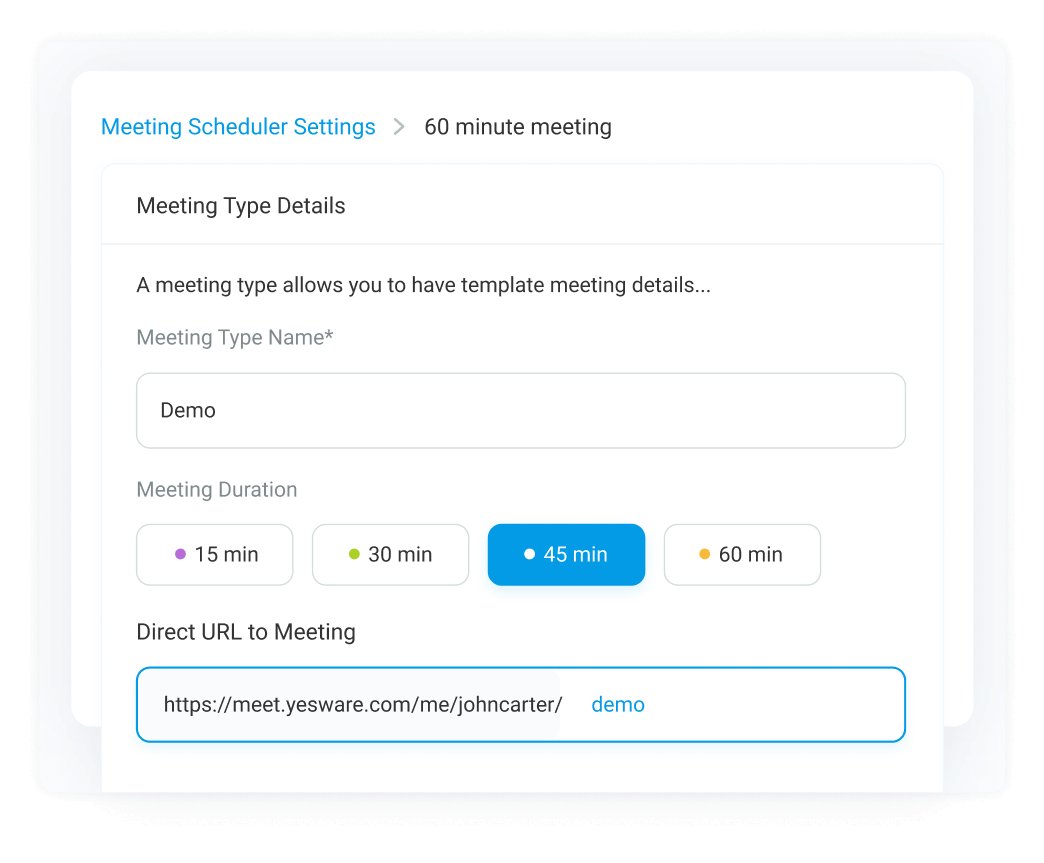
Create meeting types for common calls — like a 30-minute intro call or a 60-minute product demo.
For each meeting type, save custom descriptions and meeting agendas, so everyone can come prepared.
Integrate with Zoom or Microsoft Teams to automatically add video call details to your invites.
Yesware Meeting Scheduler Tutorials
View product tutorials on how to use Meeting Scheduler in both Outlook and Gmail below.


How to Use Meeting Scheduler in Outlook

How to Use Meeting Scheduler in Gmail
What our customers are saying

“Yesware is an extreme time saver!”
“Yesware helped lift our outreach to another level.”
“Brillant, huge time saver and love the insights.”
“Yesware has provided sales insight on day to day activity.”
“I love Yesware! It saves and makes me money!”
“If time is $, YesWare has made
me $$$$.”
Meeting Scheduler for Teams
Save your team time and standardize meetings in your sales process

Track
Track team activity and measure customer engagement.

Analyze
Identify what’s working to produce the best outcomes and results.

Standardize
Create a repeatable sales process with your best messaging.

Grow
Scale performance across your entire team and continuously iterate.
One easy-to-use sales tool
Yesware’s all-in-one sales toolkit helps you connect with more buyers, track results, and win more business – right from Outlook or Gmail.

Email Tracking
Get notified when prospects read your emails and learn what engages them.

Attachment Tracking
See when prospects open your attachments and identify the page content they care about most.

Multi-Channel Campaigns
Get more replies and better deliverability with personalized, automated outreach.

Meeting Scheduler
Book more meetings without the back-and-forth, with simple, easy calendar scheduling.

Email Templates
Save time writing and sending emails that convert every time.

Salesforce Integration
Stop wasting time on admin work and auto-sync activity to Salesforce CRM.

LinkedIn Integration
Connect on Linkedin and get insight on prospects without leaving Gmail.

Reporting & Analytics
Use data to win more business with email tracking and engagement reporting.
Book more meetings without the back-and-forth
Try Free
Outlook Add-on
Compatible with Outlook Desktop 2016 or above, and Outlook on the Web with the latest version of Chrome, Edge, or Internet Explorer.

Try Free
Gmail Chrome Extension
Compatible with all G Suite accounts and Gmail.com accounts with the latest version of Google’s Chrome browser.

Frequently Asked Questions
What is Yesware Meeting Scheduler?

Yesware Meeting Scheduler lets sales teams book meetings without back-and-forth emails. Reps share a meeting link, prospects choose an available time, and meetings are automatically added to the calendar with confirmation details.
How does Yesware Meeting Scheduler work?
Sales reps share a personalized meeting link that syncs with their calendar, so only available times appear as options. Prospects click the link, choose a time that works for both parties, and the meeting is automatically scheduled and added to both calendars.
Does Meeting Scheduler work with Gmail and Outlook?
Yes. Yesware Meeting Scheduler integrates directly with Gmail and Microsoft Outlook calendars, allowing users to schedule meetings without leaving their inbox or switching tools.
Can I add my meeting link to emails, templates, or campaigns?
Yes. You can insert your meeting link into any email, email template, or Yesware Campaign. This makes it easy to book meetings directly from your outreach without extra coordination.
Can I create different types of meetings?
Yes. You can create any meeting type you need, including commonly used calls like intro calls or demos. Each meeting type can include its own duration, description, and agenda, making it easier to schedule the right meeting every time.
What happens after someone books a meeting?
Once a meeting is booked, both parties receive a confirmation email with the date, time, and details. The calendar event is automatically added to your calendar and updated in real time.
Does Yesware Meeting Scheduler work with Zoom, Google Meet or Microsoft Teams?
Yes. Yesware integrates with Zoom, Google Meet and Microsoft Teams so video meeting links are automatically added to calendar invites, eliminating manual setup.
Who should use Yesware Meeting Scheduler?
Yesware Meeting Scheduler is ideal for sales teams and individual sellers who want to book more meetings faster without manual scheduling or complex tools. It helps teams save time, stay organized, and keep sales moving forward.

We're on a mission to help you build lasting business relationships.

Vendasta Square Headquarters
410 - 22nd Street East, Floor 15 Saskatoon, SK, S7K 5T6, Canada

support@yesware.com




.png)